I thought I’d share a PowerShell script that I’ve created to perform a few tasks against a Site Collection Second Stage Recycle Bin (SSRB) in SharePoint.
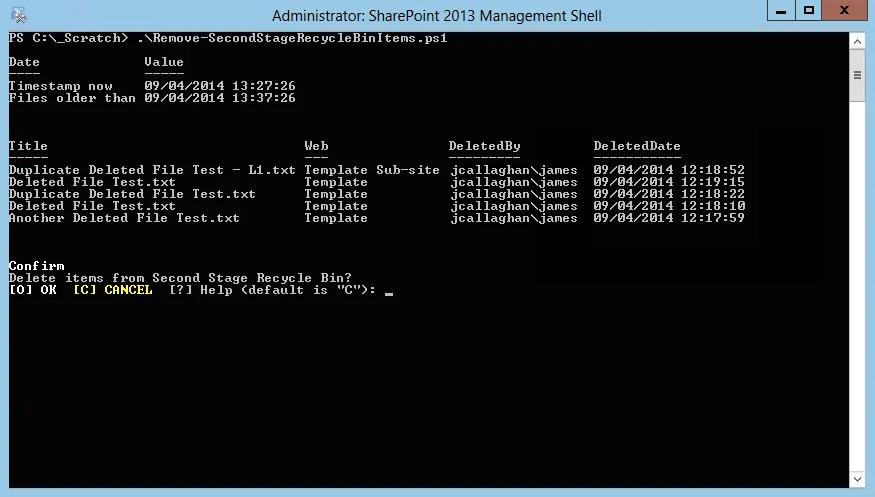
Remove-SecondStageRecycleBinItems.ps1
The requirement was to delete items that were older than a set number of days from the Second Stage Recycle Bin (SSRB). A record of each item deleted also needed to be added to a report. But SharePoint can do this already I hear you say…well yes if a Site Collection quotas and the auditing features are used. In this scenario neither could be.
To display items in the Second State Recycle Bin in a table I used this command.
$site.Recyclebin | where { $_.ItemState -eq "SecondStageRecycleBin" -and $_.deleteddate -le $dateDiff} | Format-Table -Property Title, Web, DeletedBy, DeletedDate -Autosize -WrapThen to remove each item from the Recycle Bin I used the delete command.
$site.Recyclebin.Delete($_.ID)The full script is shared below. Remember to review, rename and test this script before using it in a production environment.
One quirk I found while creating the script was that through the web browser, SharePoint reported the time each file was deleted correctly whereas, in PowerShell, the time was not honouring GMT summer time.
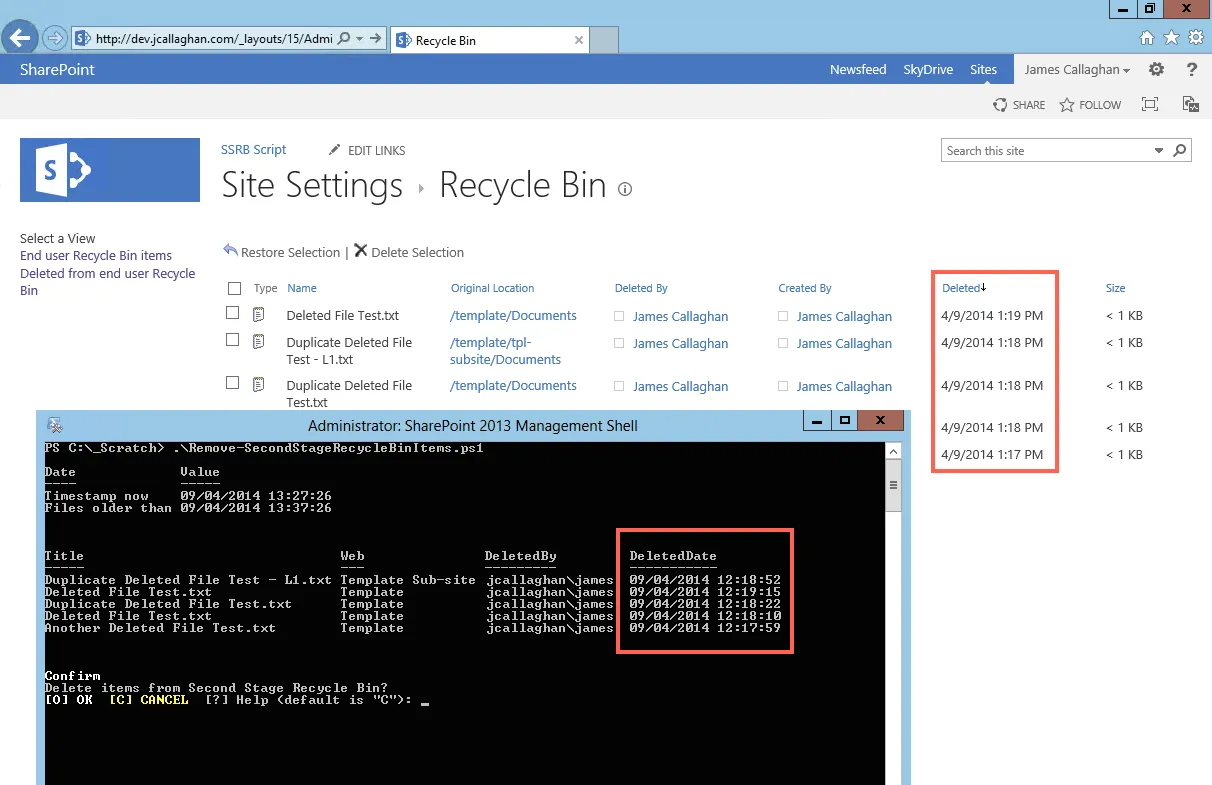
British Summer Time in SharePoint vs. PowerShell
Enjoy and delete carefully!