Update: After reviewing the SMTP logs, on a very active SharePoint 2013 environment and some further research, I now have an extensive list of the types of emails SharePoint sends. Most of these now include an example image of the email that is sent.
I recently responded to a question posted to Twitter using the #SPHelp hashtag. Tim Ferro was trying to understand all the different types of email that SharePoint sends automatically.
#SPHelp does anyone know a good resource that shows what OOB emails are sent from #SP2013? like mysite notifications or new followers? — Tim Ferro (@timferro) June 26, 2014
While I may have misunderstood his tweet to begin with, it certainly got me thinking about what emails does SharePoint actually send. I gave it some thought with a colleague and have produced this post as a result.
- MySite Cleanup Notification
- Task assigned to you notification
- Alerts
- Storage limit exceeded
- Sharing - Invited to
- Site Mailbox Created
- MySite Setup Notification
- Mentioned in a conversation
- Site Deletion Notice (Site Policy)
- Site Access Requests
Example of SharePoint Emails
There is very little information that provides an answer to Tim’s question. I’ve attempted to create a consolidated view of all the different types of emails that SharePoint sends. I have sourced example images from various sources on the internet. They have been credited to the author and include a link to the originating content.
MySite cleanup notification
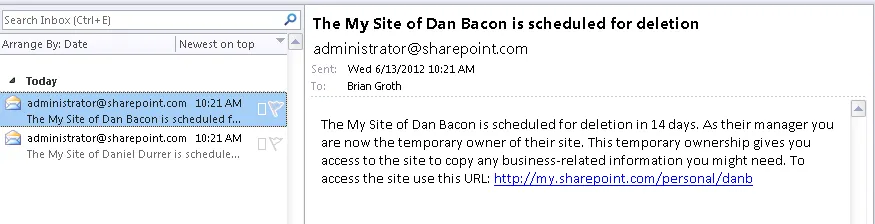
MySite Cleanup Notification. Credit: SharePoint 2013 Admin blog http://sharepoint2013admin.wordpress.com/2013/11/19/my-site-cleanup-timer-job-2/
Task assigned to you notification
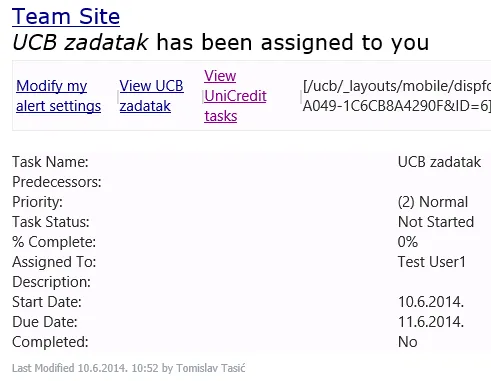
Task assigned to you email. Credit: Tomislav Tasic http://tomislavspadmin.blogspot.co.uk/2014/06/enable-email-notifications-for-tasks.html
Alerts
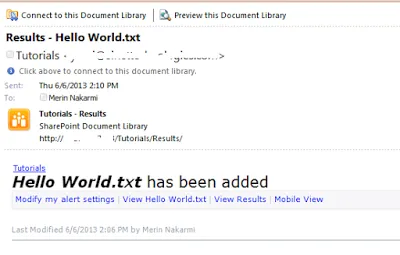
SharePoint Alerts. Credit: Merin Nakarmi http://sharepointrealm.blogspot.co.uk/2013/06/how-to-cusomize-alert-email-for.html
Storage Limit Exceeded
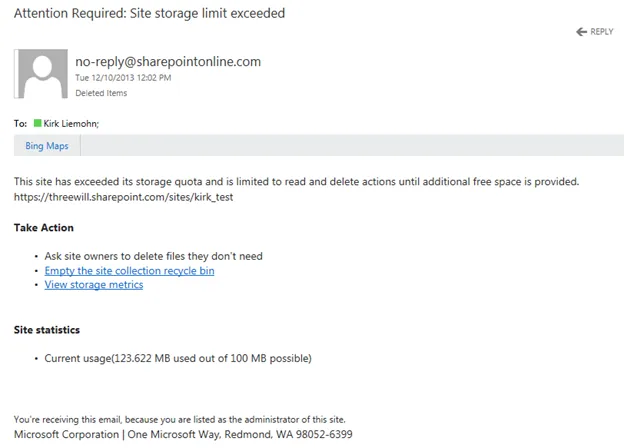
Storage Limit Exceeded. Credit: Three Will https://www.threewill.com/2013/12/storage-quotas-in-sharepoint-online/
Sharing - Invited to …
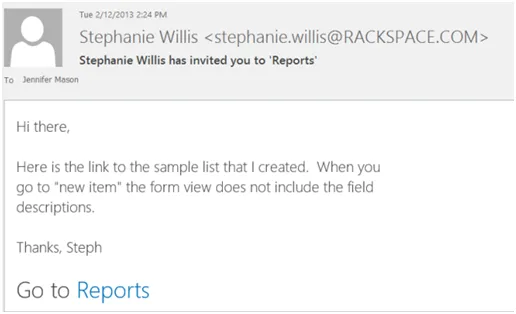
Mentioned in a conversation email. Credit: Jennifer Mason, CMS Wire http://www.cmswire.com/cms/social-business/sharepoint-2013-social-features-highlights-019624.php?pageNum=2
Site Mailbox Created
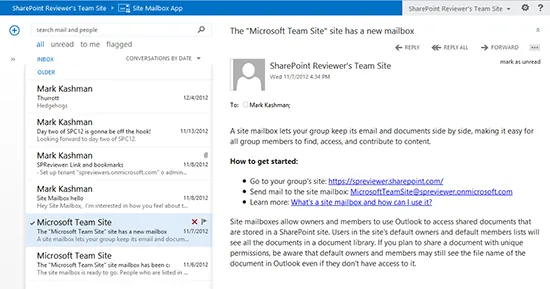
Site Mailbox Created. Credit: Mark Kashman http://blogs.office.com/2013/04/02/whats-new-in-sharepoint-online-top-10/
MySite Setup Notification
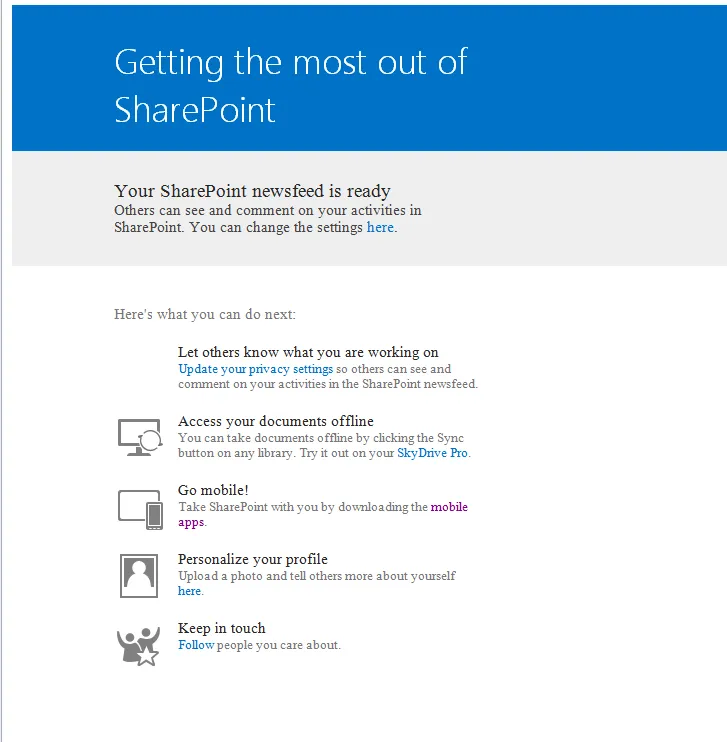
MySite Setup. Credit: Sudhit Kesharwani http://sharepoint.stackexchange.com/questions/72530/sharepoint-mysite-changing-the-notification-email
Mentioned in a conversation
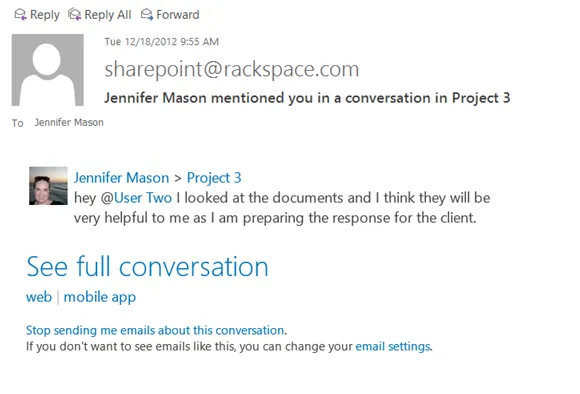
Mentioned in a conversation email. Credit: Jennifer Mason, CMS Wire http://www.cmswire.com/cms/social-business/sharepoint-2013-social-features-highlights-019624.php
Site Deletion Notice (Site Policy)
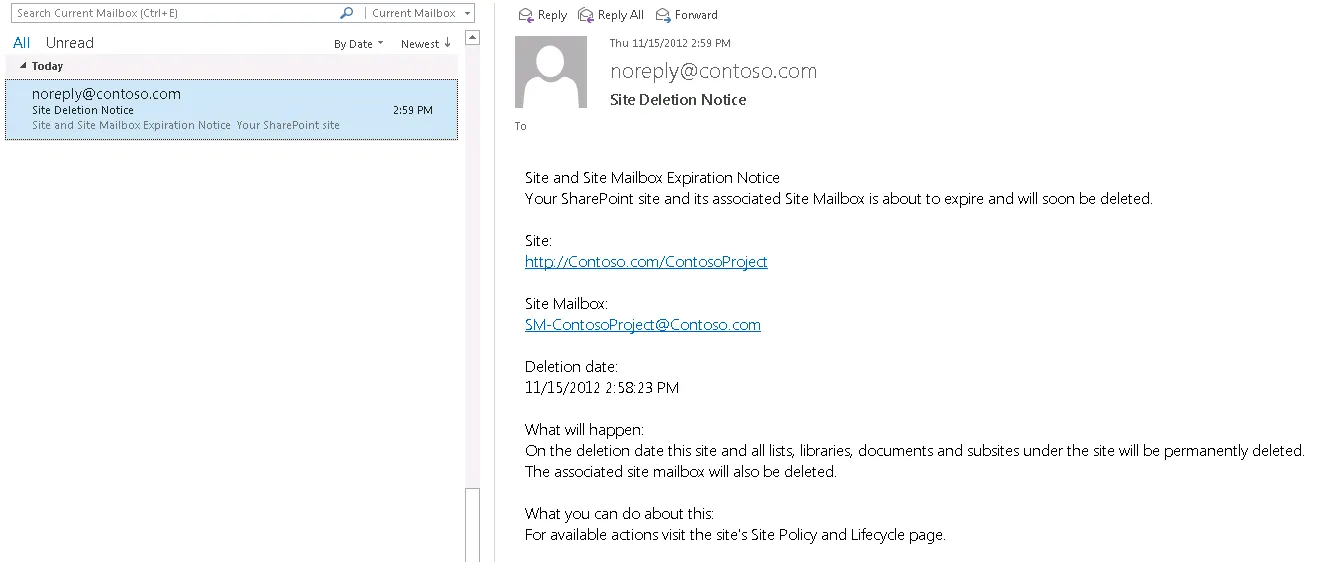
Site Deletion Notice. Steven Boyle, SharePoint IT Pro Blog http://blogs.technet.com/b/tothesharepoint/archive/2013/03/28/site-policy-in-sharepoint.aspx
Site Access Requests
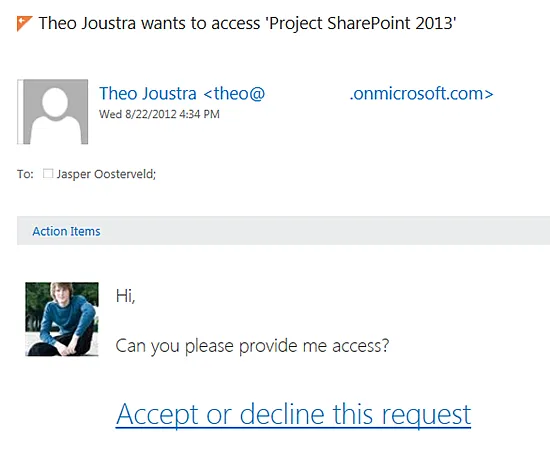
Site Access Requests. Jasper Oosterveld https://www.nothingbutsharepoint.com/sites/eusp/Pages/SharePoint-Online-2013-Request-Access-Procedure.aspx
Other possibilities
There are a number of other emails that SharePoint might send, which I have been unable to confirm at this time.
- Health Analyser - Alerts
- Managed Metadata Service - term managed and term submission
- Solution resource usage - site collection exceeded daily resource usage
- Membership requests (requests to join/leave groups)
- MySite new followers and Colleague and keyword suggestions
- Site Collection Upgrade Notification (2010 > 2013)
- Created and Delete Upgrade Evaluation Site Collections
- Removal notifications of user provisioned Site Collections
- Search Service Application
- Apps Service Application
- eDiscovery
- Record
- Publishing
- Retention
Community Contribution
Not stopping there, I have also asked the community via the Office 365 Technical Network on Yammer (10,000+ members). Let’s see what people come back with. In time I’d like to add more detailed summaries of these including a sample of the emails.