On this page
I IoT’d an Airwick. An ESP32 and a 5V relay do the work; the rule was that nobody could be allowed to notice them. From across the room it still had to read as a stock air freshener - just one that finally knew when a room was actually in use.
Public-restroom air fresheners spray on a schedule, and the household versions are no different: the can keeps spraying whether anyone is in the room or not. In a house where everything else is automated, they were the last dumb holdout - wasting a can on an empty room, and loud enough that the click-and-hiss at three in the morning is what finally pushed me to ask, properly, whether they could be made smart.
A smart air freshener has to think about more than time. Here is what I wanted it to see:
Motion. A spray every motion event is as wasteful as a spray every 15 minutes. Combine motion with a “last sprayed” timestamp so the unit only fires every 30 minutes at most.
Alarm state. If the house alarm is armed, the air fresheners go silent. Same for night mode, with one exception: the bathroom.
Room-based triggers. Living room: TV on or sofa occupied means in use. Office: workstation unlocked means I am at the desk. Bathroom: the toilet flush or the bath in use is a strong signal. (Yes, the toilet is also IoT’d.) Exceptions: I do not want the freshener firing while I am actually in the bath.
Spray interval. The stock Airwick controls are 9, 18, or 36 minutes. I want longer than 36 to be an option.
Sensors. The rest of the house already has them. Unarming the alarm after a trip away can fire a “welcome home” spray. Windows open means the fresh air is doing the job; no spray.
Voice. Voice is inclusive. It is also the most fun trigger in the build.
Ingredients
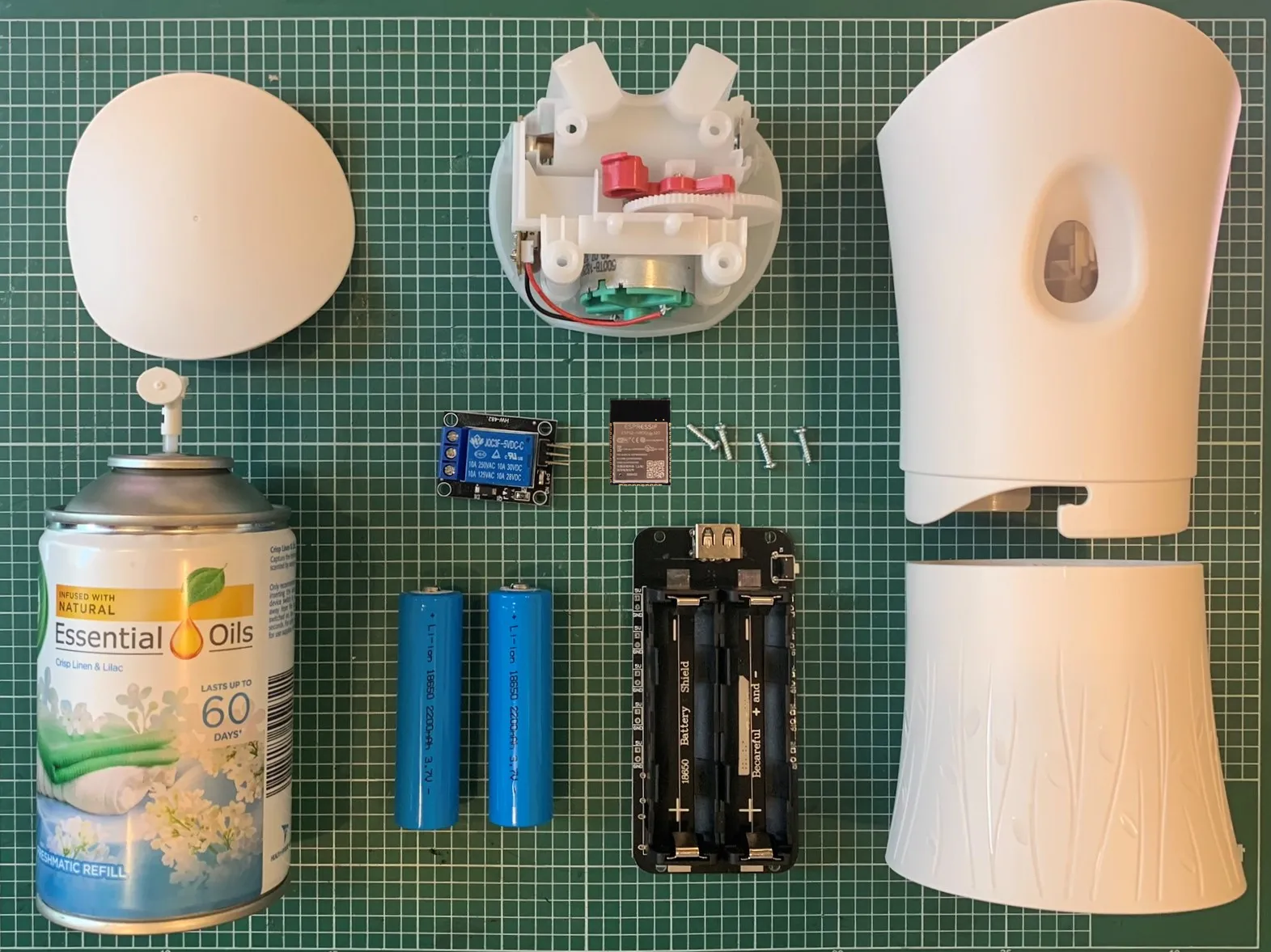
- Airwick air freshener
- ESP32 / ESP8266
- 5V relay
- Battery shield and two 18650 cells
- ESPHome
- Home Assistant
How the Airwick actually works
The stock Airwick has a 3V motor that drives a gear which presses the nozzle on the aerosol can. The red plunger gear is only two-thirds round, so the gearing only ever pushes the nozzle for a fraction of a turn before disengaging. That is how the unit avoids a continuous spray. When the motor stops, the spring force in the nozzle reverses the gear back to start.
The build
A working prototype came up in about 15 minutes once the parts were on the bench. The ESP32 NodeMCU drives the relay; the relay closes the same circuit the stock controller does and runs the motor for one cycle.
I had planned to use a smaller ESP32 dev board for the prototype but stuck with the full-size NodeMCU for easier access during testing. The plastic insert in the Airwick wanted a couple of careful cuts to make room.
The 18650 cells went on the back of the unit for the prototype rather than inside. A 3D-printed cradle for internal cells is the next step.
ESPHome
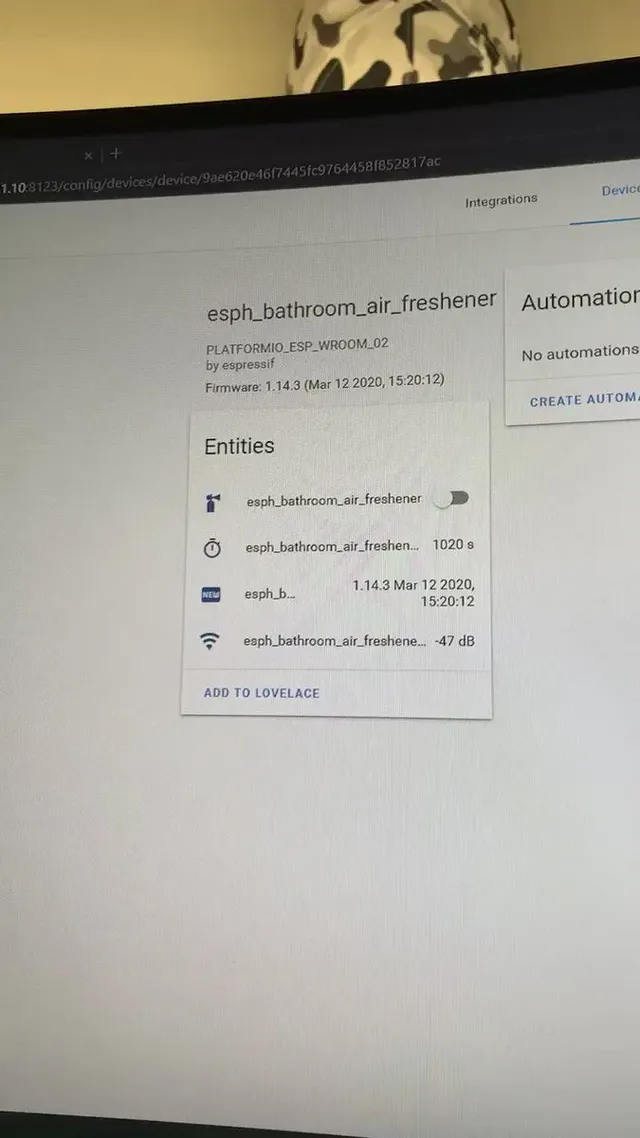
The firmware is ESPHome on the ESP32 NodeMCU. Ten lines of YAML define a switch on a GPIO pin. Home Assistant auto-discovers ESPHome devices, so the switch shows up in Home Assistant as soon as the unit boots.
The relay is on a GPIO controlled by an ESPHome switch. Home Assistant flips the switch; the relay closes; the motor turns one cycle.
TIP
Pair the ESPHome switch with the deep sleep and MQTT components so the device wakes on a schedule, checks an MQTT topic to decide whether to spray, and goes straight back to sleep. The 18650 cells last weeks rather than days.
Home Assistant
Home Assistant runs the brain. ESPHome auto-discovery hands it the switch; the automation rules decide when to fire it.
I have not written out every automation; one is the example for all of them. The bathroom unit fires when the IoT toilet is flushed. That is, on its own, the coolest toilet automation in this house.
The data is half the fun. A counter increments on every spray. A date sensor records when the can was last replaced. The numbers feed dashboards that tell me when the unit is due new batteries or a new can, and which rooms are running hot.
Alexa, it’s stinky
Voice was the last trigger to wire up. I expected it to be the hardest; it was the funniest.
Alexa, it’s stinky.
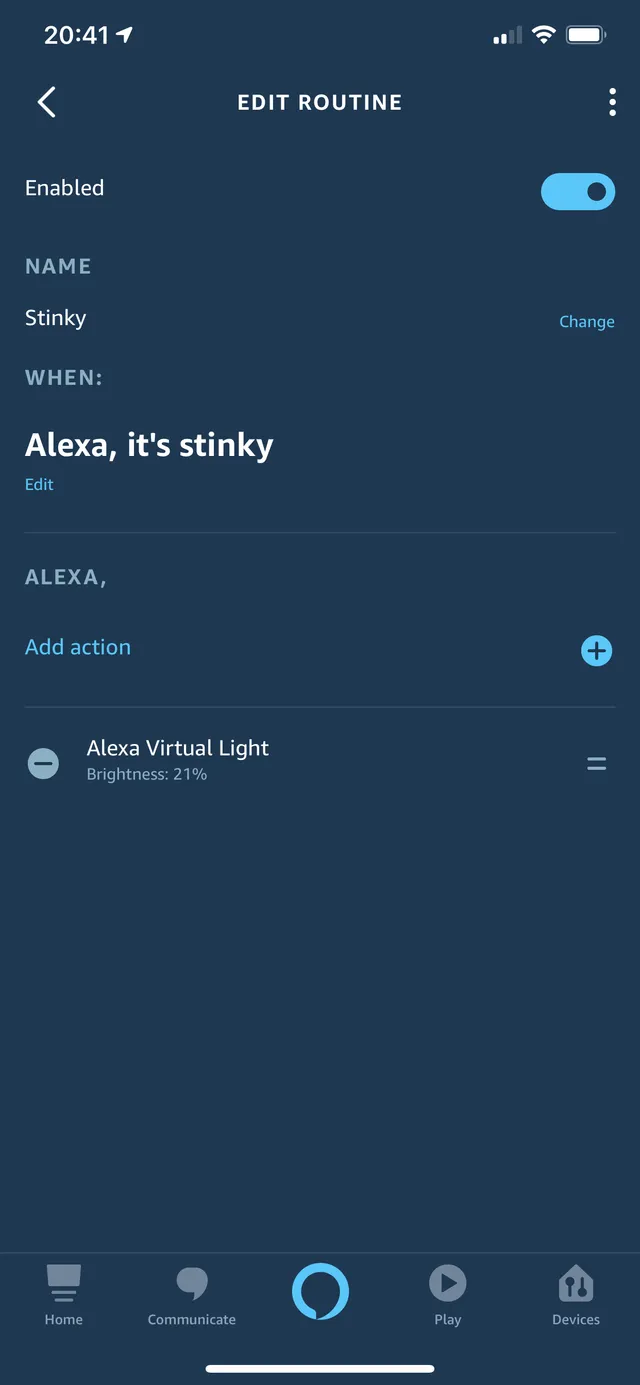
The Alexa wiring uses the alexa_media_player custom component for Home Assistant. An Alexa routine listens for the phrase and sets the brightness on a virtual light in Home Assistant. An automation then reads which room the Alexa device is in and fires the corresponding air freshener a few times.
NOTE
Alexa routines are sensitive to wake-sentence length. “Alexa, it is stinky in here” was rejected; “Alexa, it’s stinky” worked first time. The same routine could be a “freshen the whole house” trigger if you want to dial it up before guests arrive.
What it looks like at the end
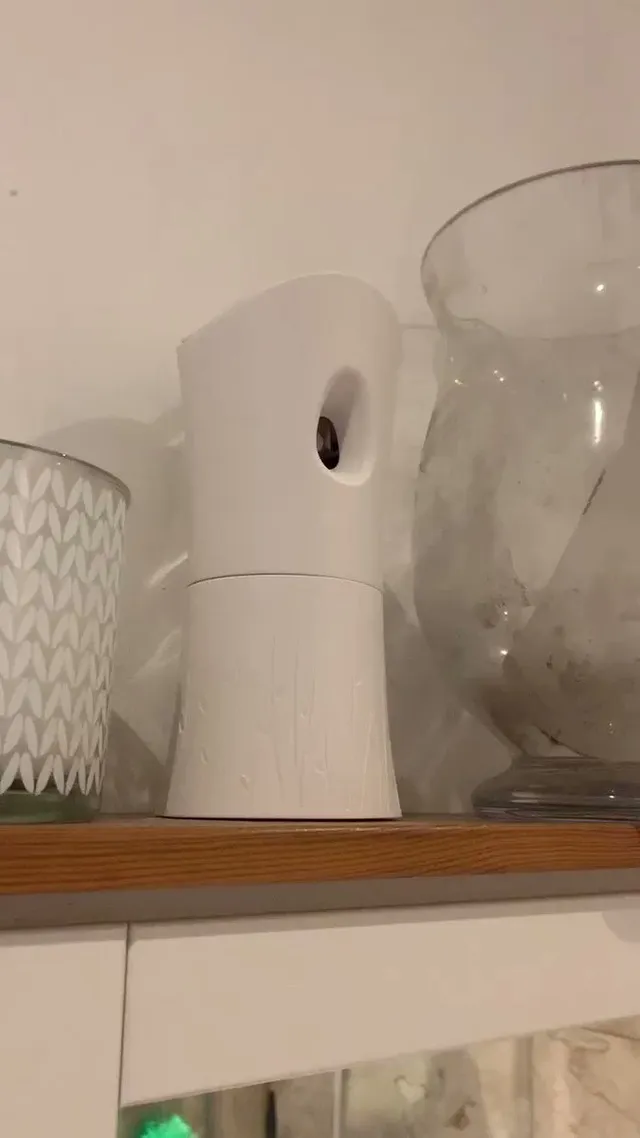
The non-negotiable bit was the look. From across the room the unit is unchanged. The win is two-sided: friends do not jump out of their skin when the freshener fires; I no longer hear the click at three in the morning. The can lasts longer because it does not spray when nobody is in the room. The batteries are rechargeable. The data tells me when the can is due replacing without me having to remember.
Half the fun in this project was writing it; the other half was wondering why I had not done it sooner. Crazy to you might not be crazy to someone else; let the ideas run.
I 💕 my Home Assistant.